
Disclaimers :
Opinions expressed in this post (and in any of all my posts) are solely, unless otherwise specified, those of the authors, me. Those opinions absolutely do not reflect the views, policies, positions of any organizations, employers, affiliated groups.
My employer says I don't have the right to share the source code I've written in the course of my work. So, I'll try to say as much as I can without divulging any specific information.
The interactions between EKS and the broader AWS ecosystem can only be fully understood through real & serious practice. AWS offers a free tier with limited resources. Start small, monitor your costs, and don't leave clusters running when you're done.
This article is educational content, in case you missed it, not a production deployment guide. Everything was intentionally simplified here for clarity. Before running EKS in production, please consult the AWS EKS best practices guide and involve your security/infrastructure teams.
I've strived for accuracy throughout this piece, if you catch any errors, please reach out—I'd be grateful for the feedback and happy to make updates!
Hook
This is the day 4 of the training course. The most exhausting part isn't the training itself. The most exhausting part is that I have to leave the house earlier than usual in the hope of arriving on time (as someone who usually arrive at work at 10am).
Today will be easier than yesterday, I hope, because I’m not starting from scratch; I already know a thing or two about Kubernetes. I more or less know how to write some manifests files and use them to deploy my Django projects. Let's go.
The name Kubernetes originates from Ancient Greek: κυβερνήτης, romanized: kubernḗtēs, meaning pilot, steersman, navigator, and the etymological root of cybernetics. Kubernetes is often abbreviated as K8s, counting the eight letters between the K and the s (a numeronym).
Table of contents
- K8S concepts → traditional infrastructure
- Why containers?
- Kubernetes fundamentals
- K8S architecture
- K8S core objects
- K8S configuration & tooling
- Enter EKS
- EKS networking & IAM integration
- Practical example
- EKS vs. alternatives
- Conclusion
K8S concepts → traditional infrastructure
If you've been managing Linux servers and containers, you already know most of these concepts. Kubernetes just orchestrates them at scale with different names:
| K8S Concept | Traditional Equivalent | What's Different? |
|---|---|---|
| Cluster | A set of servers you SSH into | Managed as a single unit, self-healing |
| Control Plane | Your Ansible/Puppet master server | Manages scheduling, state, API; you don't run workloads on it |
| Worker Node | A Linux server running your apps | K8S schedules pods onto it automatically |
| Pod | A process or systemd unit | Ephemeral, gets its own IP, holds containers |
| Deployment | systemd service + rolling restart script | Declarative desired state, automatic rollback, self-healing |
| StatefulSet | Manually managed database instances | Ordered startup, stable network identity, persistent storage per replica |
| DaemonSet | A service enabled on every server (systemctl enable) | Ensures one pod per node, useful for log collectors, monitoring agents |
| Service | DNS entry + iptables rules / HAProxy | Stable endpoint for ephemeral pods, built-in load balancing |
| Ingress | Nginx or HAProxy reverse proxy config | Declarative HTTP/HTTPS routing, TLS termination, path-based rules |
| ConfigMap | export, .env file, configuration files in /etc/, | Decoupled from the container image, injectable as env vars or mounted files |
| Secret | gpg-encrypted files, pass | Base64 encoded (not encrypted by default!), injectable like ConfigMaps |
| Volume | /mnt, NFS mount, LVM | Lifecycle tied to pod (ephemeral) or independent (PersistentVolume) |
| Namespace | Linux users/groups, separate directories | Logical cluster partitioning, resource quotas, access control boundaries |
| kubectl | ssh + systemctl + journalctl | Single CLI to manage everything in the cluster |
| Helm | apt / dnf package manager | Templated K8S manifests, versioned releases, rollback support |
| kubeconfig | ~/.ssh/config | Defines which clusters you can talk to and with which credentials |
The trade-off: You give up simplicity (one server, one config file, one systemctl restart) in exchange for automatic scaling, self-healing, and declarative infrastructure. Whether that's worth it depends on whether you're running 2 containers or 200. And if you understood everything in the table above, you can stop here, I'm serious :\
Want to know more ? Okay
Why containers?
Before Kubernetes, there were containers. Before containers, there was the classic problem: "it works on my machine."
You write a Python script that processes epidemiological data. It runs perfectly on your laptop with Python 3.11, pandas 2.1, and that one obscure C library you installed six months ago and forgot about. You hand it to a colleague. It breaks. Different Python version, missing library, wrong OS. You spend half a day debugging environment issues instead of doing actual work.
Containers promises to solve this. A container packages your application and its entire runtime environment (OS libraries, Python version, dependencies) into a single, portable image. If it runs in the container on your laptop, it runs the same way on a server in Paris, in Cape Town, or on your colleague's machine. No surprises*.
Without containers:              With containers:
+---------------------+          +-----------------------+
| App A (Python 3.9)  |          | +-------------------+ |
| App B (Python 3.11) |          | | Container A       | |
| App C (Java 17)     |          | | Python 3.9 + App  | |
| Conflicting deps!   |          | +-------------------+ |
| Shared OS libraries |          | +-------------------+ |
| "Who installed      |          | | Container B       | |
|  what?"             |          | | Python 3.11 + App | |
|                     |          | +-------------------+ |
| One bare-metal      |          | +-------------------+ |
| server              |          | | Container C       | |
|                     |          | | Java 17 + App     | |
+---------------------+          | +-------------------+ |
                                 | Isolated, no          |
                                 | conflicts             |
                                 +-----------------------+
So why do you need Kubernetes?
Containers solve the packaging problem. But in production, new questions appear:
- You have 15 containers across 6 servers, how do you know which server has capacity for a new one?
- A server crashes at 2am, who restarts the containers that were running on it?
- Traffic spikes on Monday morning, how do you spin up more copies of your web app?
- You push a bad update, how do you roll back quickly?
- Your containers need to talk to each other, who manages the networking and service discovery?
You could solve all of this with bash scripts, cron jobs, and Ansible playbooks. People did, for years. It worked, until it didn't — usually at the worst possible moment.
Kubernetes (K8S) is an open-source platform created at Google by Joe Beda, Brendan Burns, and Craig McLuckie. Announced in June 2014, it grew out of Google's internal cluster manager Borg, which had been orchestrating containers at massive scale for over a decade. Inspired by Docker's rise, the three founders saw the need for something that could orchestrate many containers across many machines. Google donated Kubernetes to the CNCF in 2015, and it quickly became the industry standard.
You tell K8S what you want (3 replicas of my app, exposed on port 443, with 2GB of RAM each), and it figures out how to make it happen. If something breaks, K8S fixes it automatically. That's the pitch.
Kubernetes fundamentals
Kubernetes operates on one core principle: declarative configuration. Instead of telling the system how to do things step by step (imperative), you describe what you want the end state to look like, and K8S figures out how to get there.
On a traditional Linux server, you might do:
# Imperative: you tell the system every step
podman run -d --name webapp -p 8080:80 my-app:v2
podman stop webapp-old
podman rm webapp-old
With Kubernetes, you write a manifest:
# Declarative: you describe the desired state
apiVersion: apps/v1
kind: Deployment
metadata:
  name: webapp
spec:
  replicas: 3
  template:
    spec:
      containers:
      - name: webapp
        image: my-app:v2
        ports:
        - containerPort: 80
You apply it (kubectl apply -f webapp.yaml), and K8S handles the rest: scheduling pods on nodes with available resources, rolling out the new version, terminating old pods, restarting anything that crashes. You described what you want — 3 replicas of my-app:v2 on port 80 — and K8S continuously works to make reality match your description. This is called the reconciliation loop: K8S constantly compares the desired state (your manifest) with the actual state (what's running), and corrects any drift.
Nota Bene: Every K8S object — Pods, Services, Deployments — is just a piece of desired state that a controller is responsible for reconciling.
K8S architecture
A Kubernetes cluster is split into two layers: the control plane that makes decisions, and the worker nodes that run your actual workloads.
                            +--------------------------------------------------------------+
                            |                            K8S CLUSTER                       |
                            |                                                              |
                            |      +-----------------------------+                         |
                            |      |       CONTROL PLANE         |                         |
                            |      |                             |                         |
                            |      |  +----------+  +---------+  |                         |
                            |      |  |Scheduler |  |API      |  |<-- kubectl talks here   |
                            |      |  |          |  |Server   |  |                         |
                            |      |  +----------+  +---------+  |                         |
                            |      |  +----------+  +---------+  |                         |
                            |      |  |Controller|  | etcd    |  |<-- cluster state lives  |
                            |      |  |Manager   |  |  (kv)   |  |        here             |
                            |      |  +----------+  +---------+  |                         |
                            |      +-----------------------------+                         |
                            |                      | ^                                     |
                            |           instructs  | | reports back                        |
                            |                      v |                                     |
                            |                                                              |
                            |  +-------------+    +-------------+    +-------------+       |
                            |  | WORKER 1    |    | WORKER 2    |    | WORKER 3    |       |
                            |  |             |    |             |    |             |       |
                            |  | +---------+ |    | +---------+ |    | +---------+ |       |
                            |  | |kubelet  | |    | |kubelet  | |    | |kubelet  | |       |
                            |  | +---------+ |    | +---------+ |    | +---------+ |       |
                            |  | |kube     | |    | |kube     | |    | |kube     | |       |
                            |  | |proxy    | |    | |proxy    | |    | |proxy    | |       |
                            |  | +---------+ |    | +---------+ |    | +---------+ |       |
                            |  | |container| |    | |container| |    | |container| |       |
                            |  | |runtime  | |    | |runtime  | |    | |runtime  | |       |
                            |  | +---------+ |    | +---------+ |    | +---------+ |       |
                            |  | |Pod A    | |    | |Pod C    | |    | |Pod E    | |       |
                            |  | |Pod B    | |    | |Pod D    | |    | |         | |       |
                            |  | +---------+ |    | +---------+ |    | +---------+ |       |
                            |  +-------------+    +-------------+    +-------------+       |
                            +--------------------------------------------------------------+
Control Plane (also called master nodes) — the brain of the cluster. It doesn't run your applications; it manages everything else:
| Component | Role | Traditional Equivalent |
|---|---|---|
| API Server | Front door for all cluster operations. Every kubectl command, every internal component, talks through it | The SSH daemon + a REST API on your server |
| etcd | Distributed key-value store holding the entire cluster state | Your /etc directory + a database, replicated |
| Scheduler | Decides which worker node should run a new pod based on resource availability and constraints | You, manually picking which server to deploy to |
| Controller Manager | Runs the reconciliation loops — watches desired state vs actual state and corrects drift | Your Ansible playbooks running on a schedule |
The control plane requires fewer resources than worker nodes but is far more critical. In production, you run at least 2 control plane nodes (one primary, one for recovery) so the cluster survives a node failure.
Worker Nodes are where the heavy lifting happens: we are talking about bigger machines, more CPU, more RAM, hosting all your application pods. They're also more expendable than control plane nodes, if a worker dies, the scheduler simply reschedules its pods onto surviving nodes. Each worker node has three main components:
| Component | Description |
|---|---|
| Kubelet | An agent running on each node. It receives pod specifications from the API Server, ensures the containers described in those specs are running and healthy, and reports status back. Think of it as a local systemd that takes orders from the control plane. |
| Kube-proxy | A network component on each node that maintains network rules, enabling communication to and from your pods. It's what makes Services work — routing traffic to the right pod regardless of which node it's on. |
| Container runtime | The software that actually runs containers. K8S supports containerd, CRI-O, and any runtime implementing the Container Runtime Interface (CRI). Docker was the original default but was deprecated as a runtime in K8S 1.24. |
K8S core objects
Now that you understand the architecture, let's walk through the objects you'll actually work with.
Pods
A Pod is the smallest deployable unit in Kubernetes. It's an abstraction over one or more containers, usually running a single application. Each pod gets its own IP address and can hold sidecar containers (supporting processes like log shippers or proxies).
Pods are ephemeral — they're designed to be disposable. If a pod dies, it's gone. K8S creates a new one to replace it, with a different IP. This is why you never talk to pods directly in production.
apiVersion: v1
kind: Pod
metadata:
  name: my-app
spec:
  containers:
  - name: webapp
    image: nginx:1.25
    ports:
    - containerPort: 80
On a traditional server, a pod is roughly equivalent to a running process or a systemd unit. The difference? K8S manages the pod's lifecycle automatically.
Services
Since pods are ephemeral, you need a stable endpoint to reach them. That's what a Service provides — a permanent IP address and DNS name that load-balances across a set of pods. If a pod dies and gets replaced, the Service keeps working.
Types of Services:
| Type | Scope | Use Case |
|---|---|---|
| ClusterIP (default) | Internal cluster IP | Backend services that don't need external access |
| NodePort | Exposes on each node's IP at a static port | Quick external access for testing (not recommended for production) |
| LoadBalancer | Cloud provider's load balancer | Production external access (on AWS, creates an ELB/ALB) |
| ExternalName | DNS CNAME mapping | Pointing to external services (database.example.com) |
apiVersion: v1
kind: Service
metadata:
  name: webapp-service
spec:
  selector:
    app: webapp    # Matches pods with this label
  ports:
  - port: 80
    targetPort: 8080
  type: LoadBalancer
Think of a Service as your iptables rules + HAProxy + DNS entry, all managed declaratively.
Ingress
A Service can expose your app, but what if you have 10 services and want them all behind a single domain with path-based routing? That's what Ingress does — HTTP/HTTPS routing with TLS termination and name-based virtual hosting.
apiVersion: networking.k8s.io/v1
kind: Ingress
metadata:
  name: my-ingress
spec:
  rules:
  - host: example.com
    http:
      paths:
      - path: /app
        pathType: Prefix
        backend:
          service:
            name: webapp-service
            port:
              number: 80
      - path: /api
        pathType: Prefix
        backend:
          service:
            name: api-service
            port:
              number: 8080
An Ingress Controller (like Nginx Ingress Controller or AWS's ALB Ingress Controller) is required to implement the rules. On a single Linux server, this is just Nginx or HAProxy configured as a reverse proxy.
ConfigMaps
A ConfigMap stores configuration data separately from your container image. You can inject it as environment variables or mount it as files in a pod. This decouples config from code — no rebuilding images just to change a database URL.
apiVersion: v1
kind: ConfigMap
metadata:
  name: app-config
data:
  DATABASE_URL: "postgres://db.example.com:5432/mydb"
  LOG_LEVEL: "info"
Reference it in a pod:
spec:
  containers:
  - name: webapp
    image: my-app:v1
    envFrom:
    - configMapRef:
        name: app-config
On a traditional server, this is just files in /etc/myapp/. K8S makes them version-controlled and injectable.
Secrets
Secrets work exactly like ConfigMaps, but they're intended for sensitive data (passwords, API keys). They're stored base64-encoded, not encrypted by default in etcd. For real encryption at rest, enable etcd encryption or use external secret managers like AWS Secrets Manager with External Secrets Operator.
apiVersion: v1
kind: Secret
metadata:
  name: db-credentials
type: Opaque
data:
  username: YWRtaW4=      # base64("admin")
  password: cGFzc3dvcmQ=  # base64("password")
On a Linux server, this is like files encrypted with gpg or managed by pass. The K8S equivalent just integrates better with the pod lifecycle.
Volumes
Containers are stateless by default — data disappears when they restart. Volumes attach storage to pods so data persists. K8S supports many volume types: local disks, NFS, cloud provider block storage (AWS EBS, Azure Disk), and more.
For truly persistent storage that outlives a pod, use a PersistentVolume (PV) and PersistentVolumeClaim (PVC).
apiVersion: v1
kind: PersistentVolumeClaim
metadata:
  name: data-pvc
spec:
  accessModes:
  - ReadWriteOnce
  resources:
    requests:
      storage: 10Gi
---
apiVersion: v1
kind: Pod
metadata:
  name: db-pod
spec:
  containers:
  - name: postgres
    image: postgres:16
    volumeMounts:
    - mountPath: /var/lib/postgresql/data
      name: data-volume
  volumes:
  - name: data-volume
    persistentVolumeClaim:
      claimName: data-pvc
On a single Linux machine, this is just mounting /mnt/data or an NFS share. K8S abstracts it so you can move workloads across nodes without reconfiguring mount points.
Deployments
You rarely create pods directly. Instead, you use a Deployment — a blueprint for stateless applications. It manages scalling, replica counts, rolling updates, and rollbacks.
apiVersion: apps/v1
kind: Deployment
metadata:
  name: webapp
spec:
  replicas: 3
  selector:
    matchLabels:
      app: webapp
  template:
    metadata:
      labels:
        app: webapp
    spec:
      containers:
      - name: webapp
        image: my-app:v2
        ports:
        - containerPort: 8080
Common operations:
kubectl apply -f deployment.yaml           # Create or update
kubectl scale deployment webapp --replicas=5   # Scale to 5 pods
kubectl set image deployment/webapp webapp=my-app:v3  # Rolling update
kubectl rollout undo deployment/webapp     # Rollback to previous version
kubectl rollout status deployment/webapp   # Watch rollout progress
On a traditional server, this is systemd units + a rolling restart script managed by Ansible. K8S does it declaratively, with automatic health checks and rollback on failure.
StatefulSets
StatefulSets are for stateful applications like databases. Unlike Deployments, they provide:
- Stable network identities (pod names like
db-0,db-1,db-2) - Ordered startup and shutdown (db-0 starts before db-1)
- Persistent storage per pod (each pod gets its own PVC)
apiVersion: apps/v1
kind: StatefulSet
metadata:
  name: postgres
spec:
  serviceName: postgres
  replicas: 3
  selector:
    matchLabels:
      app: postgres
  template:
    metadata:
      labels:
        app: postgres
    spec:
      containers:
      - name: postgres
        image: postgres:16
        volumeMounts:
        - name: data
          mountPath: /var/lib/postgresql/data
  volumeClaimTemplates:
  - metadata:
      name: data
    spec:
      accessModes: ["ReadWriteOnce"]
      resources:
        requests:
          storage: 20Gi
From my online research, many teams prefer to run databases outside K8S (RDS, managed PostgreSQL) and only use K8S for stateless workloads. I guess nobody wants to resolve an issue requiring expertise in Postgresql AND Kubernetes layers. If you run your database inside k8s using a StatefulSet, please, let me know what are the good, the bad & the ugly...... { °_°} Someone's whispering in my ear that I should take a look at CloudnativePG. ['.' ]
DaemonSets
A DaemonSet ensures a copy of a pod runs on every node (or selected nodes). Useful for cluster-wide services like: log collectors (Fluentd, Filebeat), monitoring agents (Prometheus Node Exporter, Datadog agent), network plugins (Calico, Cilium).
apiVersion: apps/v1
kind: DaemonSet
metadata:
  name: node-exporter
spec:
  selector:
    matchLabels:
      app: node-exporter
  template:
    metadata:
      labels:
        app: node-exporter
    spec:
      containers:
      - name: node-exporter
        image: prom/node-exporter:latest
On a traditional infrastructure, this is like running systemctl enable monitoring-agent on every server. K8S does it automatically, including on new nodes as they join the cluster.
K8S configuration & tooling
Now that you know the objects, how do you actually work with them?
kubectl — the K8S CLI
kubectl is the official command-line interface (CLI) to interact with and manage Kubernetes clusters. It's the equivalent of ssh + systemctl + podman all rolled into one.
Common commands:
# View resources
kubectl get pods                          # List all pods in current namespace
kubectl get pods -n kube-system           # List pods in kube-system namespace
kubectl get pods -A                       # List pods across all namespaces
kubectl get deployments,services,ingress  # Multiple resource types

# Describe details
kubectl describe pod my-pod               # Full details, events, status
kubectl logs my-pod                       # View logs
kubectl logs my-pod -f                    # Follow logs (like tail -f)
kubectl logs my-pod --previous            # Logs from crashed container

# Apply manifests
kubectl apply -f deployment.yaml          # Create/update from file
kubectl apply -f ./manifests/             # Apply all YAML in directory
kubectl delete -f deployment.yaml         # Delete resources

# Direct manipulation (less common, prefer apply)
kubectl scale deployment webapp --replicas=5
kubectl set image deployment/webapp webapp=my-app:v3

# Debugging
kubectl exec -it my-pod -- /bin/bash      # Shell into running pod
kubectl port-forward pod/my-pod 8080:80   # Forward local port to pod
kubectl top nodes                         # Resource usage per node
kubectl top pods                          # Resource usage per pod
kubeconfig — cluster credentials
Your cluster credentials live in the kubeconfig file, usually at ~/.kube/config. It defines:
- Clusters: API server endpoints and certificates
- Users: Authentication credentials (certs, tokens, OIDC)
- Contexts: A pairing of cluster + user + namespace
apiVersion: v1
kind: Config
clusters:
- cluster:
    server: https://eks-cluster.eu-west-3.eks.amazonaws.com
  name: production
contexts:
- context:
    cluster: production
    user: admin
    namespace: default
  name: prod-context
current-context: prod-context
users:
- name: admin
  user:
    token: eyJhbGciOiJSUzI1NiIsImtpZCI6...
This is the equivalent of ~/.ssh/config for SSH connections — defining which clusters you can access and how to authenticate.
Manifest files — infrastructure as code
All K8S resources are defined in manifest files — YAML or JSON documents. You store them in version control alongside your application code, making infrastructure changes auditable and reviewable.
my-app/
├── deployment.yaml
├── service.yaml
├── ingress.yaml
├── configmap.yaml
└── secrets.yaml    # (encrypted in git using tools like git-crypt or sealed-secrets)
Apply them all at once:
kubectl apply -f ./k8s/
Managed K8S services (EKS, GKE) also let you manage some resources through their web consoles or CLIs. If you ask me, I'll tell you the best practice is GitOps: all configuration in Git, applied via CI/CD or tools like ArgoCD or Flux.
Helm — the K8S package manager
Writing YAML manifests for every environment (dev, staging, prod) gets repetitive. You need to change image tags, replica counts, resource limits — but the structure stays the same. Helm solves this by templating manifests. I need to master this part.
A Helm chart is a collection of templated YAML files plus a values.yaml file for customization:
# values.yaml
replicaCount: 3
image:
  repository: my-app
  tag: v2.0
service:
  port: 80
# templates/deployment.yaml
apiVersion: apps/v1
kind: Deployment
metadata:
  name: {{ .Chart.Name }}
spec:
  replicas: {{ .Values.replicaCount }}
  template:
    spec:
      containers:
      - name: {{ .Chart.Name }}
        image: "{{ .Values.image.repository }}:{{ .Values.image.tag }}"
Install a chart:
helm install my-app ./my-chart
helm install my-app ./my-chart --set replicaCount=5   # Override values
helm upgrade my-app ./my-chart                        # Update
helm rollback my-app                                  # Rollback
helm uninstall my-app                                 # Remove everything
Helm also has a massive public chart repository — want to deploy PostgreSQL, Redis, Nginx Ingress Controller? There's a chart for that.
Think of Helm as the apt or dnf of Kubernetes — package management with templating.
Enter EKS
Everything up to now has been generic Kubernetes — you could run it on bare metal, in your basement, or in any cloud. Now let's talk about Amazon EKS (Elastic Kubernetes Service), AWS's managed Kubernetes offering.
The main alternatives to EKS for managing K8S include options coming from the Hyperscalers (yeah, Hyperscalers, I like the name) such as Google Kubernetes Engine (GKE) (often considered to be more powerful), Azure Kubernetes Service (AKS) (ideal for the Micros10p ecosystem). For hybrid or on-premises management, Rancher and Red Hat OpenShift are robust alternatives. As a proud DigitalOcean user, I should mention DigitalOcean Kubernetes (DOKS).
What EKS manages for you:
With self-managed Kubernetes, you install, patch, upgrade, and monitor the API server, etcd, scheduler, and controller manager. If etcd crashes at 3am, someone will be paged. With EKS, AWS runs the control plane for you:
| You Manage (Self-hosted K8S) | AWS Manages (EKS) |
|---|---|
| Control plane nodes (HA setup, patching, upgrades) | ✓ Fully managed, multi-AZ by default |
| etcd backups and disaster recovery | ✓ Automated backups |
| Control plane scaling | ✓ Auto-scales based on cluster size |
| API server availability | ✓ 99.95% SLA |
| Security patches for control plane | ✓ AWS handles it |
| Worker nodes (EC2 instances) | ✗ You still manage these |
| Application deployments | ✗ Still your responsibility |
| Cluster monitoring and logging | ✗ You configure CloudWatch or Prometheus |
EKS is a managed control plane, not a fully managed Kubernetes. You still provision and manage worker nodes (EC2 instances), configure networking VPCs, and set up IAM roles, etc...
Creating an EKS cluster with eksctl:
eksctl is the official CLI for EKS. It abstracts away the complexity of creating, managing, and operating Amazon Elastic Kubernetes Service (Amazon EKS) clusters. Written in Go, eksctl provides a declarative syntax through YAML configurations and CLI commands to handle complex EKS cluster operations that would otherwise require multiple manual steps across different AWS services.
Simple cluster creation using the cli (assuming you have the right sets or roles to do so):
eksctl create cluster \
  --name my-cluster \
  --region eu-west-3 \
  --nodegroup-name standard-workers \
  --node-type t3.medium \
  --nodes 3 \
  --nodes-min 1 \
  --nodes-max 4 \
  --managed
This command:
- Creates a new VPC with public/private subnets across 3 AZs
- Deploys the EKS control plane
- Launches a managed node group (3 t3.medium EC2 instances)
- Configures Auto Scaling (1-4 nodes)
- Sets up kubectl access automatically
After 10-15 minutes, your cluster is ready:
kubectl get nodes
# NAME                                           STATUS   ROLES    AGE
# ip-192-168-1-10.eu-west-3.compute.internal    Ready    <none>   2m
# ip-192-168-2-20.eu-west-3.compute.internal    Ready    <none>   2m
# ip-192-168-3-30.eu-west-3.compute.internal    Ready    <none>   2m
Advanced configuration (using a config file):
# cluster.yaml
apiVersion: eksctl.io/v1alpha5
kind: ClusterConfig

metadata:
  name: production-cluster
  region: eu-west-3

vpc:
  id: vpc-0123456789abcdef  # Use existing VPC from aws1
  subnets:
    private:
      eu-west-3a: { id: subnet-private-a }
      eu-west-3b: { id: subnet-private-b }
      eu-west-3c: { id: subnet-private-c }

managedNodeGroups:
  - name: general-purpose
    instanceType: t3.large
    minSize: 2
    maxSize: 10
    desiredCapacity: 3
    volumeSize: 50
    ssh:
      allow: true
      publicKeyName: my-keypair
    labels:
      workload: general
    tags:
      team: platform
      environment: production

  - name: compute-optimized
    instanceType: c5.2xlarge
    minSize: 0
    maxSize: 5
    desiredCapacity: 1
    labels:
      workload: compute-intensive
    taints:
      - key: compute-intensive
        value: "true"
        effect: NoSchedule
Apply it:
eksctl create cluster -f cluster.yaml
EKS vs. self-managed Kubernetes:
| Factor | EKS | Self-Managed on EC2 |
|---|---|---|
| Setup time | 15 minutes (eksctl) | Hours to days (kubeadm, Terraform, Ansible) |
| Control plane HA | Built-in, multi-AZ | You configure and maintain |
| Upgrades | eksctl upgrade cluster | Manual, risky, time-consuming |
| Cost | $73/month + nodes | Just node costs, but more ops time |
| AWS integration | Native (IAM, VPC, ELB, EBS) | Manual integration required |
| Flexibility | Limited control plane customization | Full control |
| When to use | Most production workloads | Cost-sensitive, control plane customization needed |
For most teams, EKS is worth the €€€/month. You're paying AWS to handle the hard parts (HA, backups, upgrades, security patches) so you can focus on running applications, not babysitting control planes.
EKS networking & IAM integration
EKS isn't just Kubernetes on AWS — it's deeply integrated with AWS services. Three key integrations make EKS feel native to the AWS ecosystem.
1. VPC CNI — Pods get real VPC IPs
In standard Kubernetes, pods get IP addresses from an internal overlay network (like Calico or Flannel). Pods can talk to each other, but they're isolated from the rest of your infrastructure. If you want a pod to access an RDS database in your VPC, you need to configure routing.
EKS uses the AWS VPC CNI plugin instead. Every pod gets an IP address directly from your VPC subnets — the same subnets your EC2 instances and RDS databases live in. This means:
- Pods are first-class VPC citizens: They appear in VPC Flow Logs, Security Groups apply to them, NACLs filter their traffic
- No NAT for pod-to-pod traffic: Pods communicate directly via VPC routing
- Simplified networking: Your pod at
10.0.1.50can directly connect to your RDS instance at10.0.2.100— no special configuration needed
2. IRSA — Pods get AWS permissions without secrets
Your pods need to access AWS services: read from S3, write to DynamoDB, publish to SQS. The wrong way to do this is hardcoding AWS credentials in a Secret (seriously, don't). The right way is IAM Roles for Service Accounts (IRSA).
IRSA uses OpenID Connect to let Kubernetes Service Accounts assume IAM roles. Here's how it works:
- EKS cluster has an OIDC provider endpoint
- You create an IAM role that trusts this OIDC provider
- You annotate a Kubernetes Service Account with the IAM role ARN
- Pods using that Service Account automatically get temporary AWS credentials
3. AWS Load Balancer Controller — Ingress creates real ALBs
When you create a Kubernetes Ingress object in EKS, you want it to provision an actual Application Load Balancer (ALB), not some pod running Nginx.
The AWS Load Balancer Controller does exactly this. Install it once in your cluster, and every time you create an Ingress, it provisions a real AWS ALB with:
- TLS termination using ACM certificates
- Path-based and host-based routing
- WAF integration for DDoS protection
- Full CloudWatch metrics and logging
This is the real and only good reason to use EKS: Kubernetes-native workflows (kubectl apply -f ingress.yaml) that provision real AWS infrastructure (ALBs, target groups, security groups) automatically. You get the declarative model of Kubernetes with the managed services of AWS.
Practical example
Let's deploy a simple web application to EKS end-to-end. We'll create a Deployment, expose it with a Service, and make it accessible from the internet.
TODO: I need to think about this part because right now I don't have a playground where I can practice. The playground used during the training is already deactivated.
EKS vs. alternatives
You have containerized applications and want to run them on AWS. What should you choose? Here's the honest comparison.
| Factor | EKS | ECS + Fargate | Self-Managed K8S on EC2 |
|---|---|---|---|
| Complexity | Medium | Low | High |
| Setup time | 15 minutes (eksctl) | 5 minutes (CloudFormation) | Hours to days (kubeadm, Terraform) |
| Learning curve | Steep (K8S expertise required) | Gentle (AWS-native, simpler concepts) | Very steep (K8S + infrastructure management) |
| Orchestration | Full Kubernetes (industry standard) | AWS-specific, simpler model | Full Kubernetes, full control |
| Portability | High (standard K8S, runs anywhere) | Low (AWS-only, vendor lock-in) | High (K8S is portable) |
| Infrastructure management | You manage worker nodes (or use Fargate) | Serverless (no nodes to manage) | You manage everything |
| Ecosystem | Massive (Helm charts, operators, CNCF projects) | AWS services only | Massive (K8S ecosystem) |
| Pricing | $73/month control plane + nodes | Pay per task (no idle costs) | Just EC2 costs + your time |
| Scaling | Horizontal Pod Autoscaler + Cluster Autoscaler | Auto-scales per task | You configure everything |
| Networking | VPC CNI, complex but powerful | AWS native, simple | You choose (Calico, Flannel, etc.) |
| IAM integration | IRSA (excellent) | Native task roles (excellent) | Manual (complex) |
| Monitoring | CloudWatch + Prometheus + third-party | CloudWatch native | You set up everything |
| Best for | Complex microservices, multi-cloud strategy, K8S expertise on team | Simple containerized apps, AWS-first teams, want low ops overhead | Full control needed, K8S expertise, cost-sensitive |
| Avoid if | Simple 2-3 container setup, no K8S experience | Need K8S portability, complex networking requirements | Small team, want to focus on apps not infrastructure |
My honest recommendation for a biomedical research center
I don't like giving recommendations. There are so many factors to consider, so many criteria to take into account. I've always believed you should start simple and, if necessary, move on to more complex options.
So, for most teams, start with ECS + Fargate. It's simpler, cheaper for small workloads, and gets you running quickly. As complexity grows (more services, more teams, multi-cloud needs), then evaluate EKS. If you already know Kubernetes or need portability: use EKS.
For example. If you're running batch analysis jobs (genomic processing, statistical models): ECS + Fargate is perfect. Define the job, let AWS run it, pay only for execution time. If you're building a complex platform, handling lots of requests, with web apps, APIs, databases, data pipelines, and ML inference: EKS gives you the flexibility and ecosystem to compose these pieces together.
Self-managed K8S only makes sense if you have specific requirements that EKS can't meet, or if you have a dedicated platform team that lives and breathes Kubernetes.
Conclusion
Kubernetes emerged from Google's need to manage thousands of containers across massive infrastructure. It solved real problems at that scale. Today, it's becoming the industry standard because the problems it solves, orchestration, self-healing, automatic scaling, service discovery, are increasingly common. But that doesn't mean every team needs it right now. Come on man, you're not Google.
The real value is: if you understand Kubernetes, you understand container orchestration itself. That knowledge transfers everywhere: AWS EKS, Google GKE, Azure AKS, your own data center. The mental model is identical across platforms. That's why Kubernetes literacy is worth investing in, even if you don't deploy it immediately. Learning it now means you'll be prepared when that moment arrives.
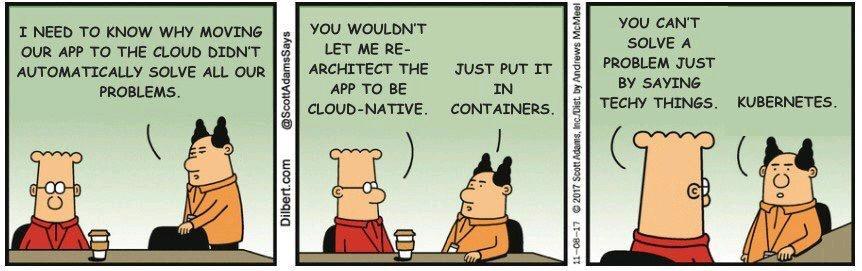
This article is awfully long wtf! I really hope you did learn something. The topic is amazingly huge and cannot be covered in one tiny small simple article. Here are resources to continue your Kubernetes and EKS journey:
Blog posts:
Official documentation:
Video tutorials:
- You don't need Kubernetes
- Kubernetes crash course for absolute beginners
- Kubernetes tutorial for beginners
- Getting started with Amazon EKS
- Joe Beda on co-creating Kubernetes at Google
Interactive learning:
Tools to practice with: